Alt text for WooCommerce product images: what the German BFSG requires
Alt text for WooCommerce product images under the German BFSG: which images need it, what good alt text looks like and how to catch up on a big catalog.
The German accessibility act (BFSG, statute text) has applied since 28 June 2025 and implements the European Accessibility Act (EAA). It also covers online shops: anyone who sells to consumers online has to offer an accessible shop. For product images that means: every image that carries information needs an alt text a screen reader can read aloud. This article shows which images are affected, what a good product alt text looks like and how to catch up on a large catalog. Other EU countries have their own laws implementing the EAA, so check the rules that apply to you.
In brief
- The BFSG has applied since 28 June 2025 to online shops that sell to consumers.
- Every product image that carries information needs an alt text, decorative images an empty one.
- For large catalogs an AI first pass helps, which you review.
- Alt text is only one building block, the BFSG asks for more (contrast, keyboard operation, forms, checkout).
Install IMG Performer for freeView IMG Performer Pro
Does the BFSG apply to your WooCommerce shop?
The law covers “e-commerce services”: digital services offered via websites or apps that are provided on individual request of a consumer with a view to concluding a consumer contract (section 2 BFSG). That hits classic online shops. By its wording, pure B2B shops are not meant.
Microenterprises that offer services are exempt (section 3 (3) BFSG). A microenterprise employs fewer than ten people and has at most €2 million annual turnover or balance sheet total. Violations can be punished as an administrative offense with fines of up to €100,000 (section 37 BFSG).
Which product images need alt text?
A product photo carries information and needs an alt text. In a gallery, every view gets its own description that differs from the main image, for example the back, the sole or a detail. A pure mood image without a message is decorative and gets an empty alt text, so screen readers skip it. An icon that serves as the only button text is described by its function, not by its appearance.
What a good product alt text looks like
Short, specific, in the context of the page. One sentence is usually enough. No “image of” at the start, no string of search terms, no repetition of the caption. Write brand and product names in their official spelling.
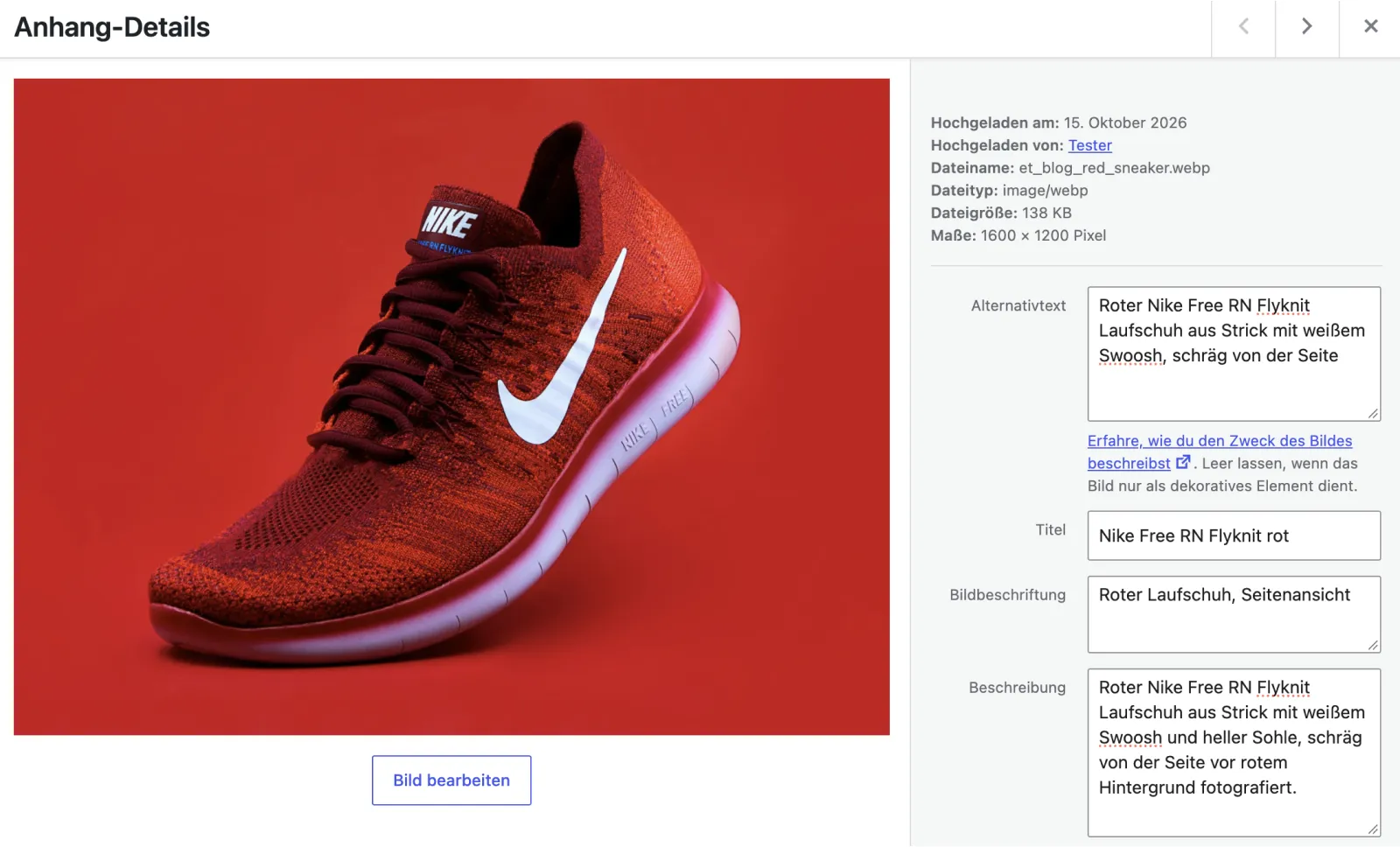
An example for a sneaker product image:
Not like this
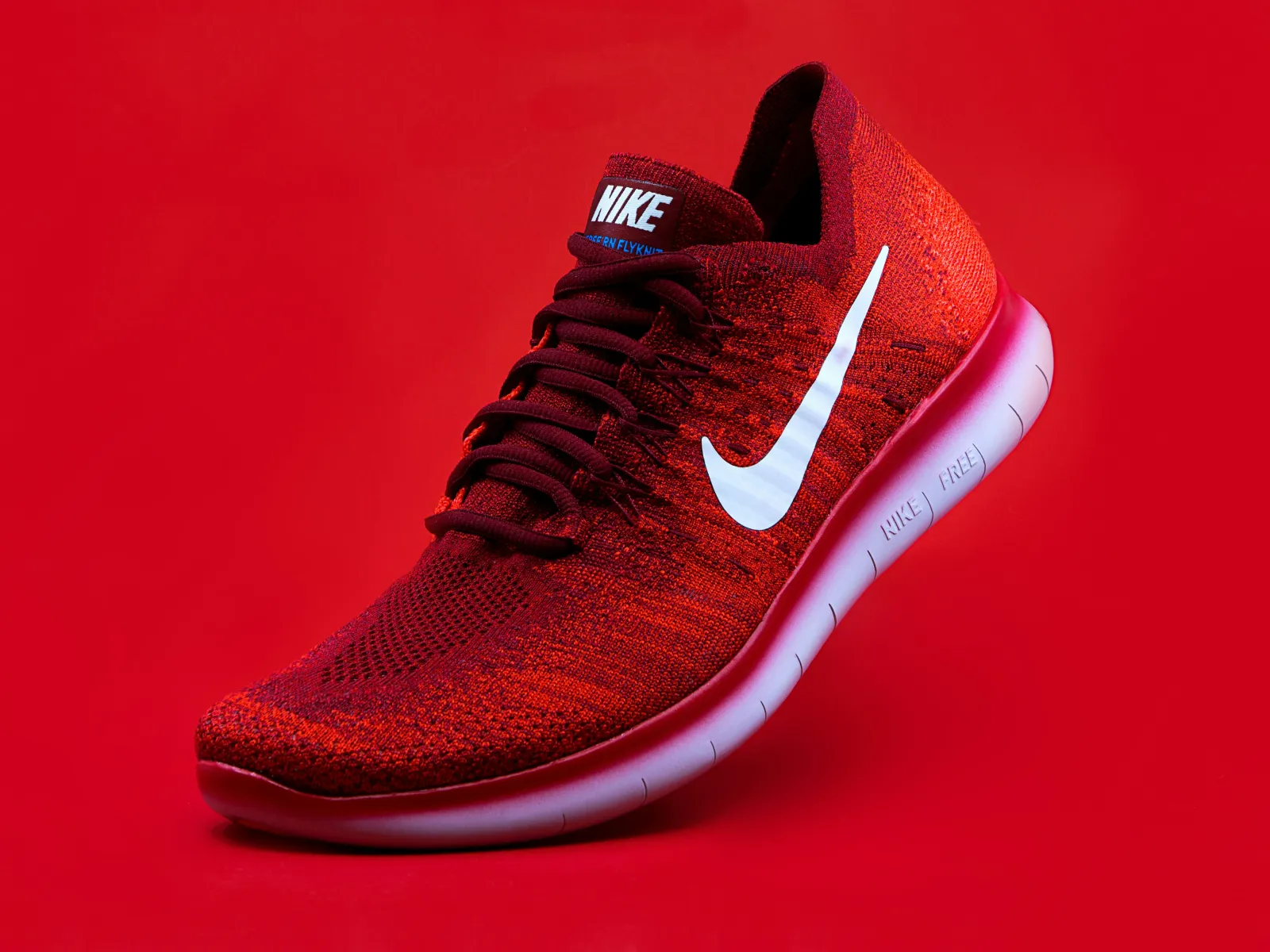
Better
As a rule of thumb, one sentence of at most about 125 characters is enough. WCAG sets no fixed limit, but many screen readers do not read longer texts in one go. WCAG (Web Content Accessibility Guidelines) are the international guidelines for accessible web content, level AA is the middle of three levels. For details see the W3C Images Tutorial.
Examples:
| Product type | Alt text |
|---|---|
| Clothing | Dark blue rain jacket with hood, front view |
| Electronics | Black wireless over-ear headphones, side view |
| Furniture | Light grey three-seater sofa with wooden legs |
| Cosmetics | Face cream in a white jar with a screw lid |
| Food | Jar of strawberry jam, label facing front |
Alt text, product description and caption: what is the difference?
The product description is visible text for everyone and sells the product. A caption is visible text that belongs to one image. The alt text replaces the image for people who cannot see it and describes what is visible and why it matters. Do not copy the description into the alt text, and do not repeat the caption.
Does alt text affect SEO?
Alt text is first of all an accessibility feature. Search engines read it as context for the image, but stuffing keywords brings no advantage and disturbs screen reader users. Describe the image honestly and the SEO side takes care of itself.
Common mistakes in product alt texts
- Starting with “image of” or “photo of”.
- Stringing together search terms instead of describing the product.
- Giving every gallery image the same alt text.
- Giving decorative images a description instead of an empty alt text.
- Repeating the caption or the product title word for word.
- Misspelling brand and product names.
Thousands of product images: filling in the existing catalog
How the backfill works
With a catalog of several hundred or thousand images, what the law asks for cannot be done by hand. AI-assisted first drafts help here: the tool creates suggestions, you review them and fix what does not fit. New uploads should get an alt text from the start. Our guide to alt text generators for WordPress explains how to choose one.
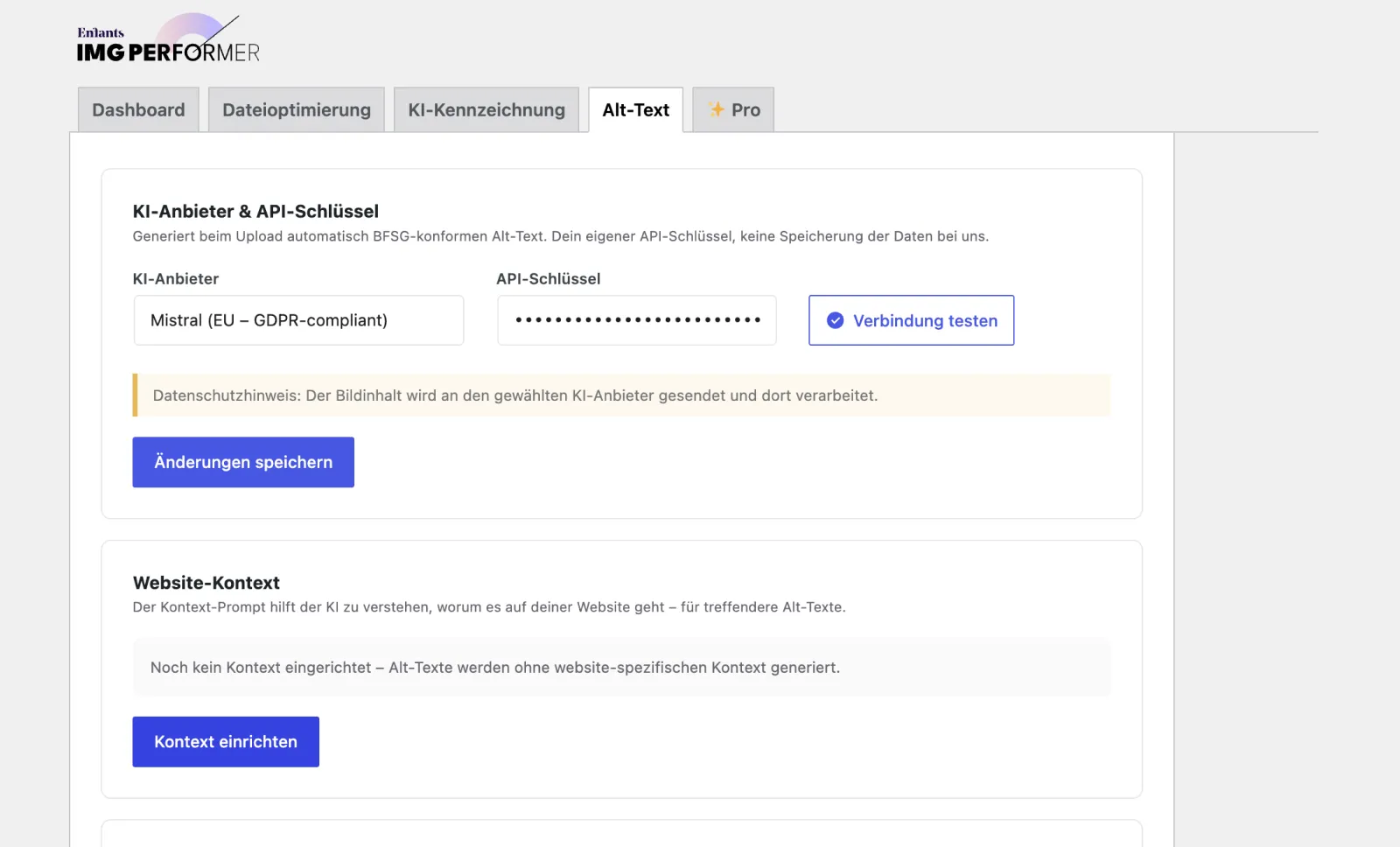
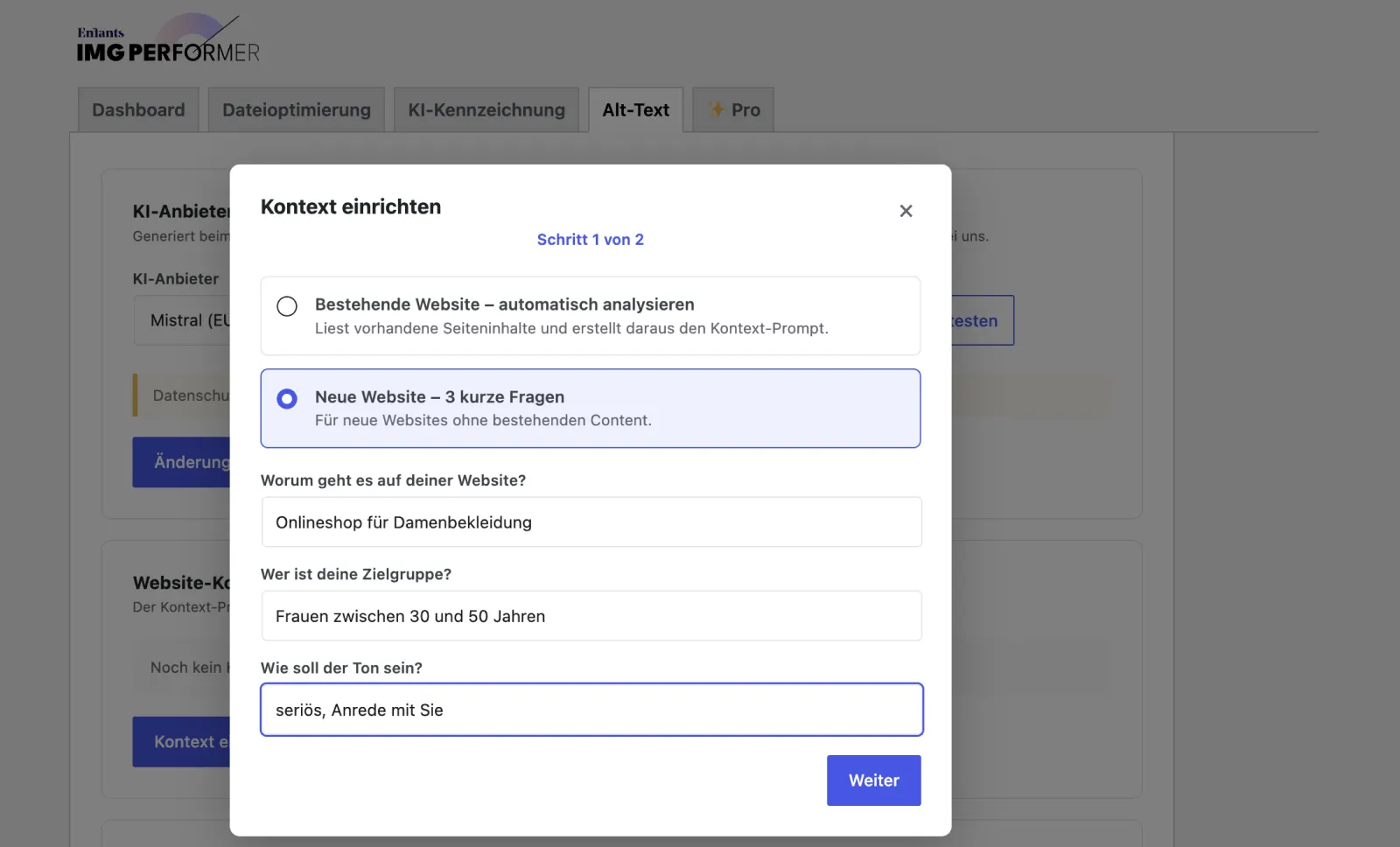
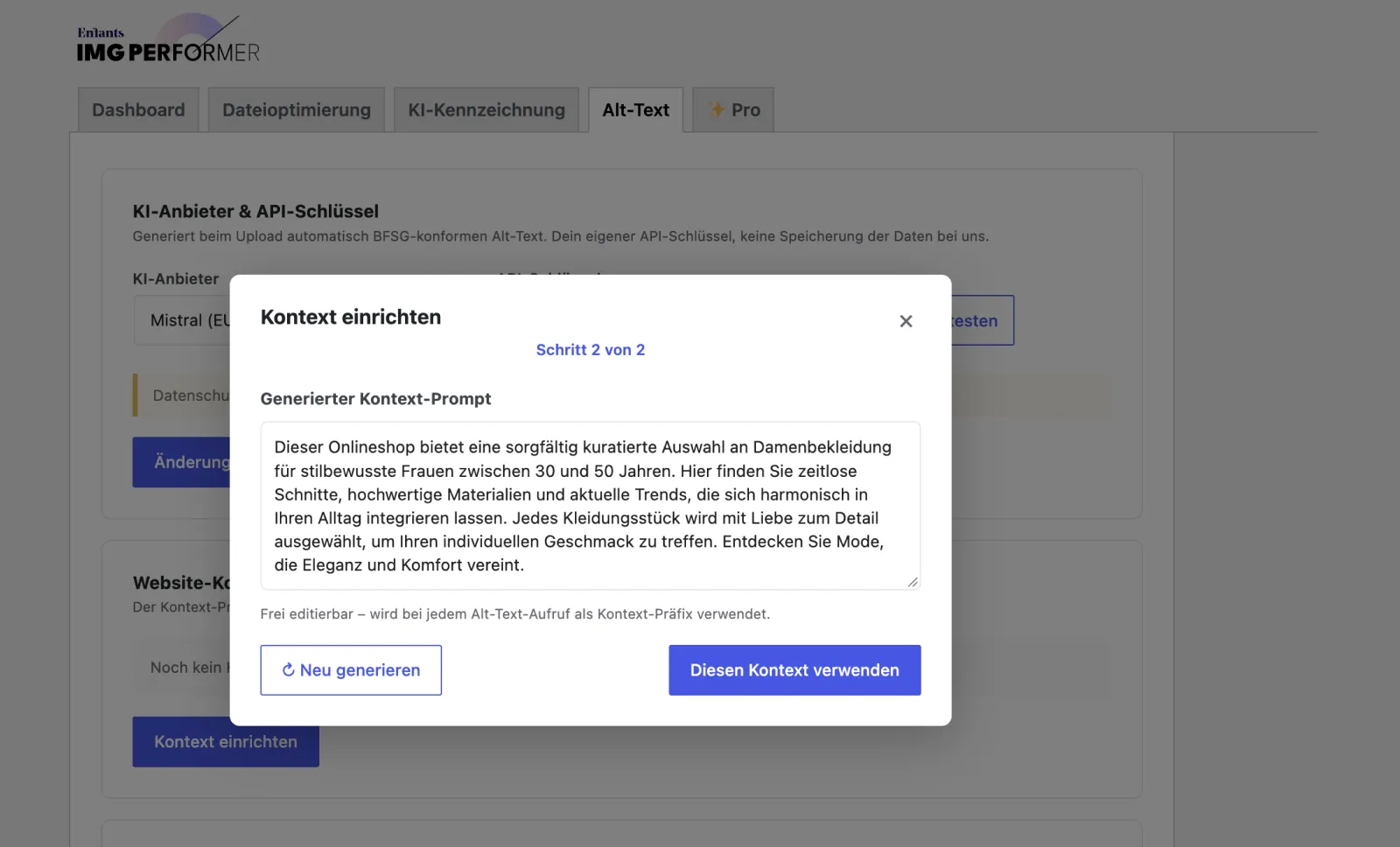
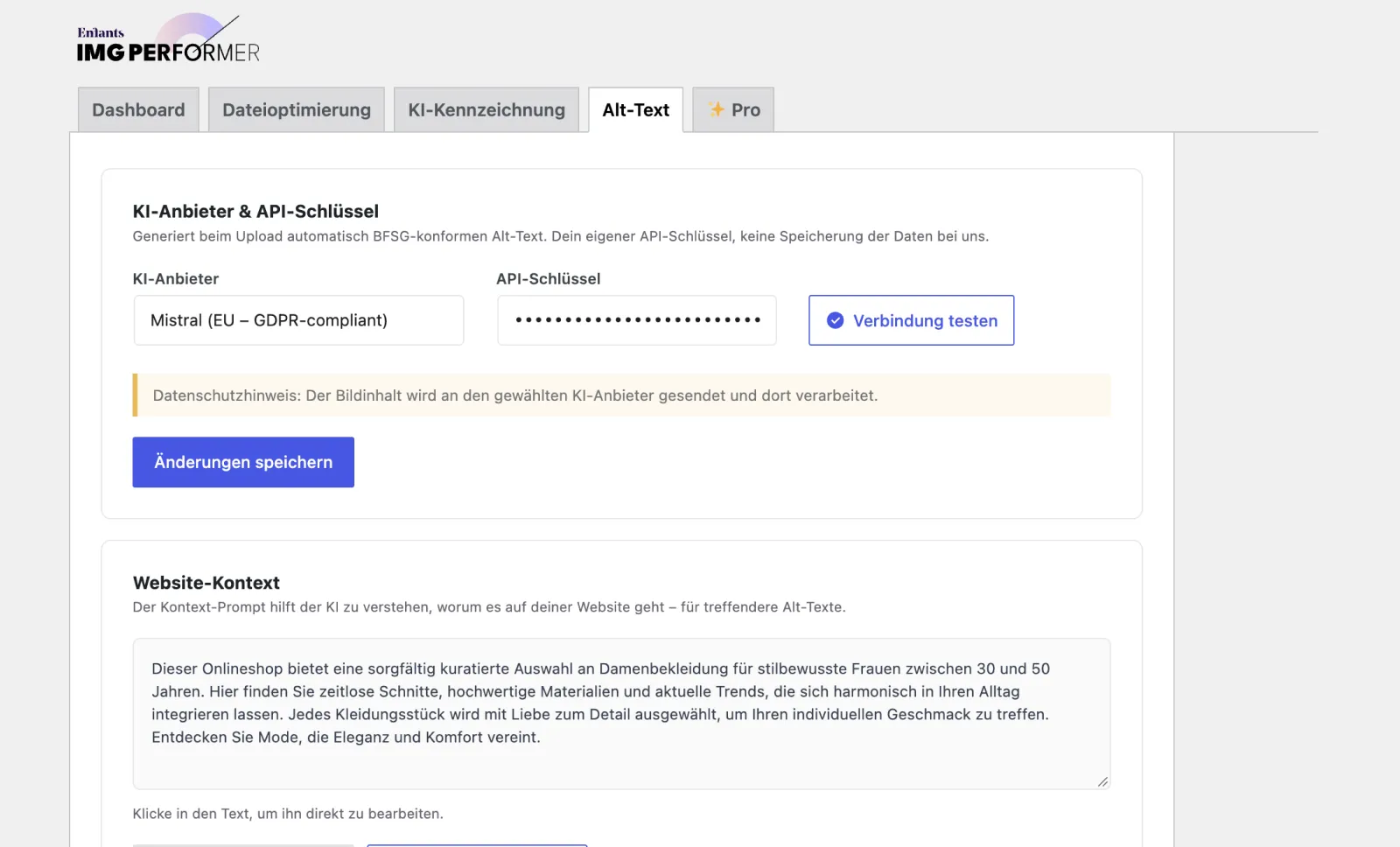
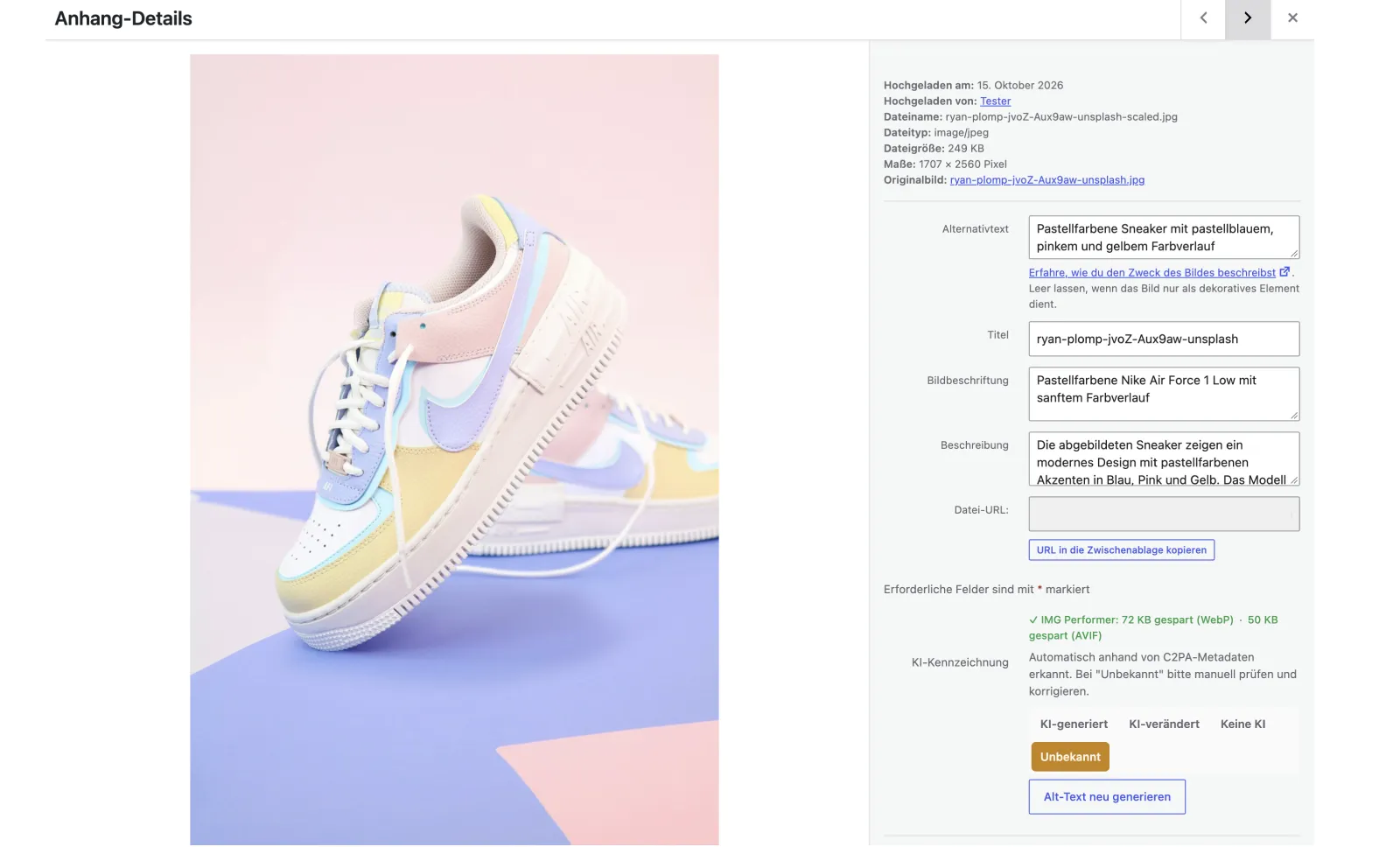
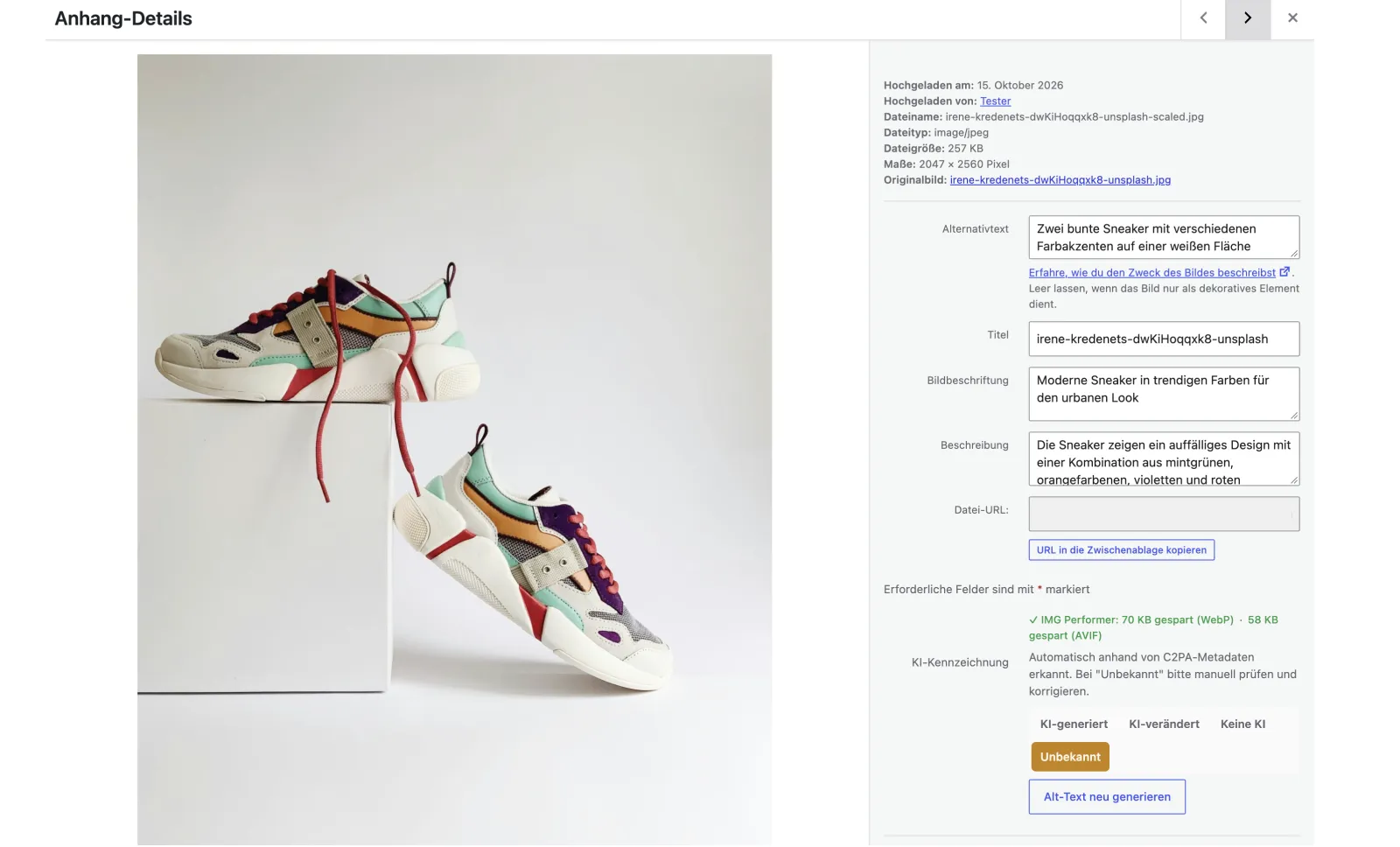
IMG Performer PRO creates alt text on every upload and works through the existing media library in bulk mode. A website context that an assistant creates from your pages describes shop and product range and is placed in front of every alt text request, so the AI names products more precisely. The suggestions land in the normal alt text field of the media library. How that looks in practice is shown in Make your WordPress media library accessible.
Setting up the website context
Suggestions in the alt text field of the media library
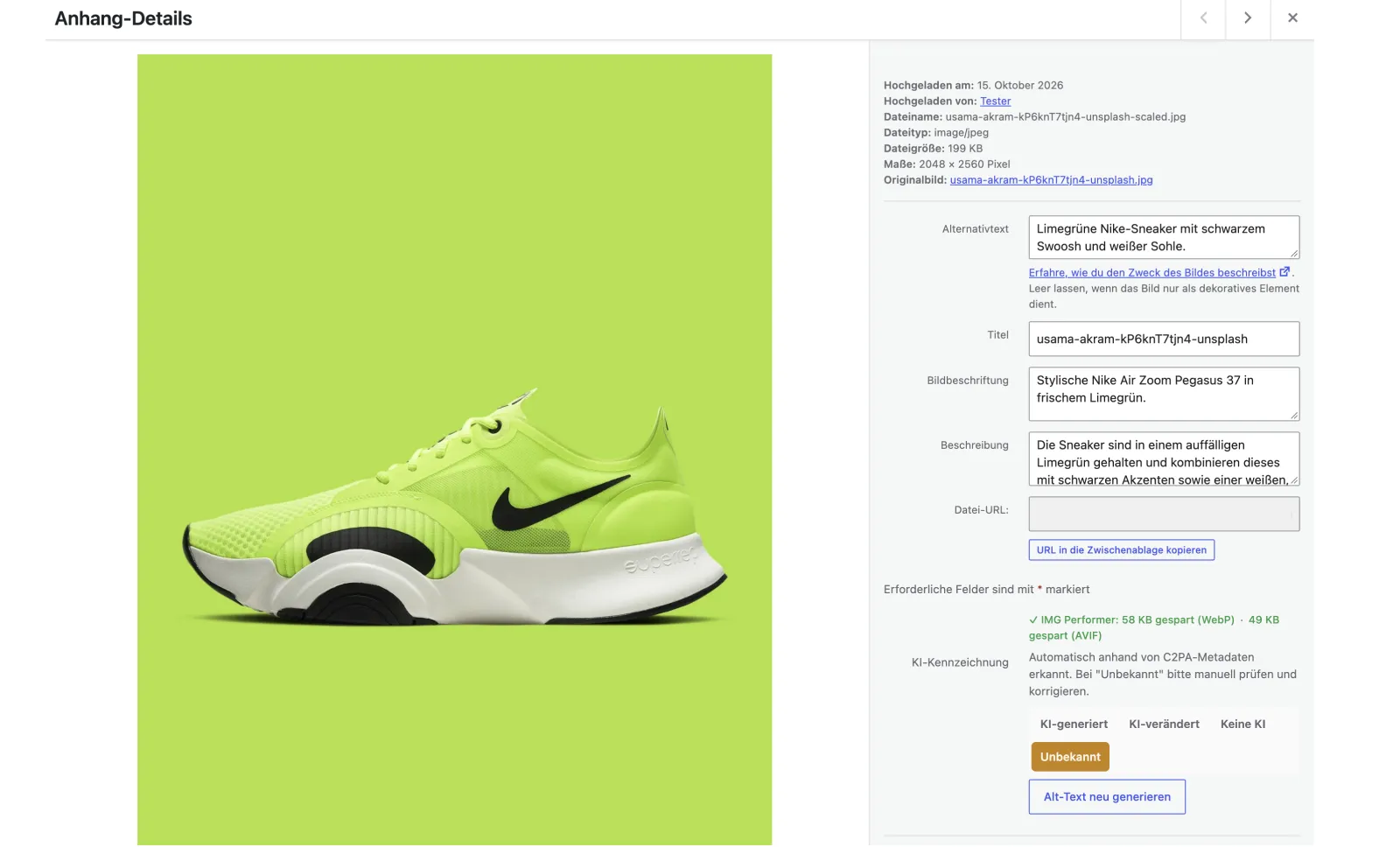
Process in five steps
- Create a backup of the media library.
- Have the website context created, the assistant describes shop and product range.
- Start a test run with a small selection of images.
- Check and adjust the suggestions in the alt text field.
- Start bulk mode for the rest.
Data protection and DPA
For this, the image goes to the AI provider you store with your own API key. You need a DPA with the provider. As an option we recommend a provider with EU servers, for example Mistral. A DPA (data processing agreement) governs how a service provider processes personal data on your behalf. An API key is an access code that allows the plugin to use the AI service in your name.
What IMG Performer Pro costs
IMG Performer PRO costs €69 per year or €9 per month. For AI alt text you pay usage to your AI provider, IMG Performer has no credit quota.
Alt text is one building block
The BFSG asks for more than alt text. The technical requirements follow WCAG 2.1 AA: sufficient contrast, keyboard operation, labeled form fields and an accessible checkout. An accessibility checker shows where your shop still has gaps. So that product pages also load fast, image optimization helps: WooCommerce: optimize product images without sending them to the cloud.
Where IMG Performer comes in
AI alt text is part of IMG Performer PRO (€69 per year or €9 per month). For AI alt text you pay usage to your AI provider, IMG Performer has no credit quota. The free version converts to WebP without limits. PRO adds AVIF, AI alt text, bulk processing and the retroactive check of existing images. More at img-performer.enfants.de.
Disclaimer
As of October 2026. This article is an overview, not legal advice. Whether your shop falls under the BFSG, check with legal counsel if in doubt.
Frequently asked questions
Does the BFSG apply to my WooCommerce shop?
If you sell to consumers online and are not a microenterprise, yes. Microenterprises with fewer than ten employees and at most €2 million annual turnover or balance sheet total are exempt for services.
How long can a product alt text be?
The law names no character limit. In practice one sentence that says what someone needs to know who cannot see the image is usually enough.
Do decorative images need alt text?
They need an empty alt text (alt=""), so the screen reader skips them. A product photo is never decorative.
Is it enough to add alt text?
No. Alt text is one building block. The BFSG asks for an accessible shop overall, including contrast, keyboard operation, forms and checkout.
Can I automate alt text for thousands of products?
Yes. An AI generator creates first drafts for new uploads and for the existing catalog in bulk. You review names and products that matter before you rely on them.